
The browser that
takes action.
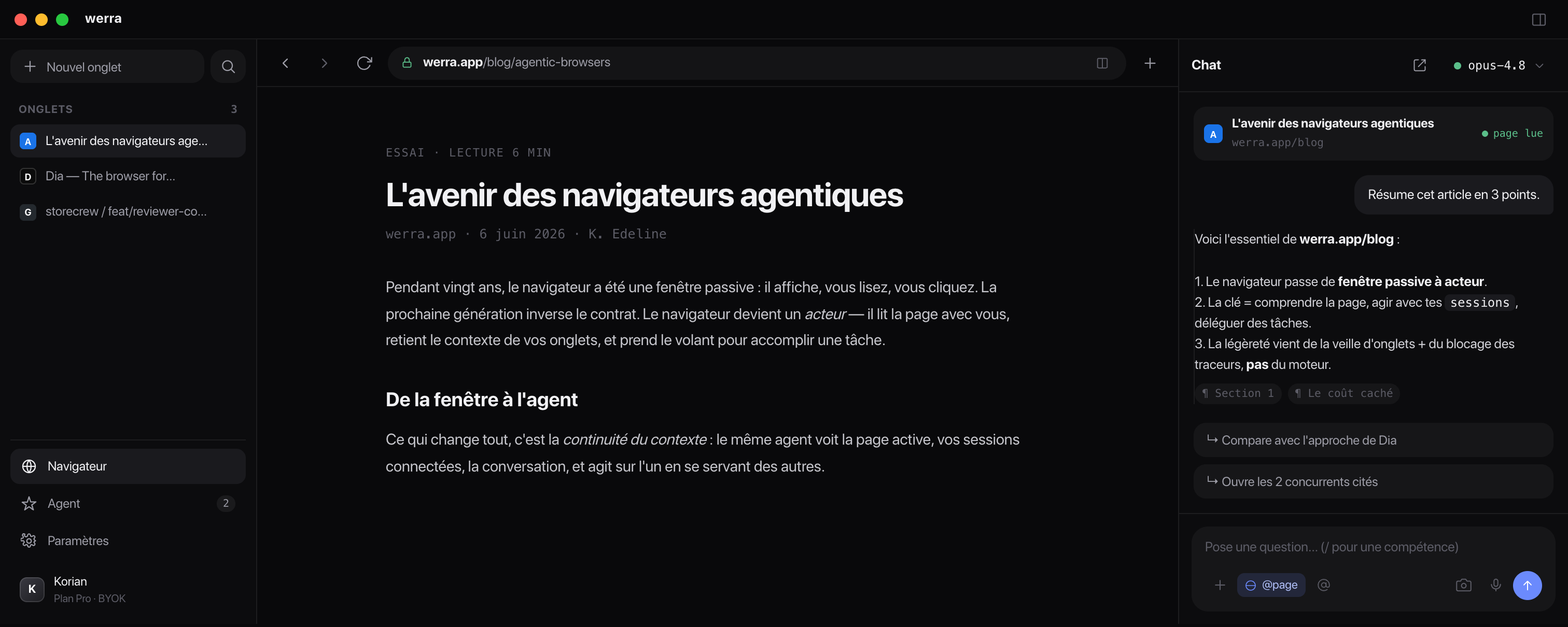
werra slips an agent into your tabs. It reads the page in front of you, goes off to browse the web when you ask, and gets its hands on the code. Without switching apps.
Already paying for one of these? Plug in your key, werra resells nothing.
Surfaces
One agent, from chat to commit.
Everywhere else, AI is a little chat window stuck on the side. Here it's the same agent on the page, on the web and in the code. What it reads in one place, it reuses in the next.
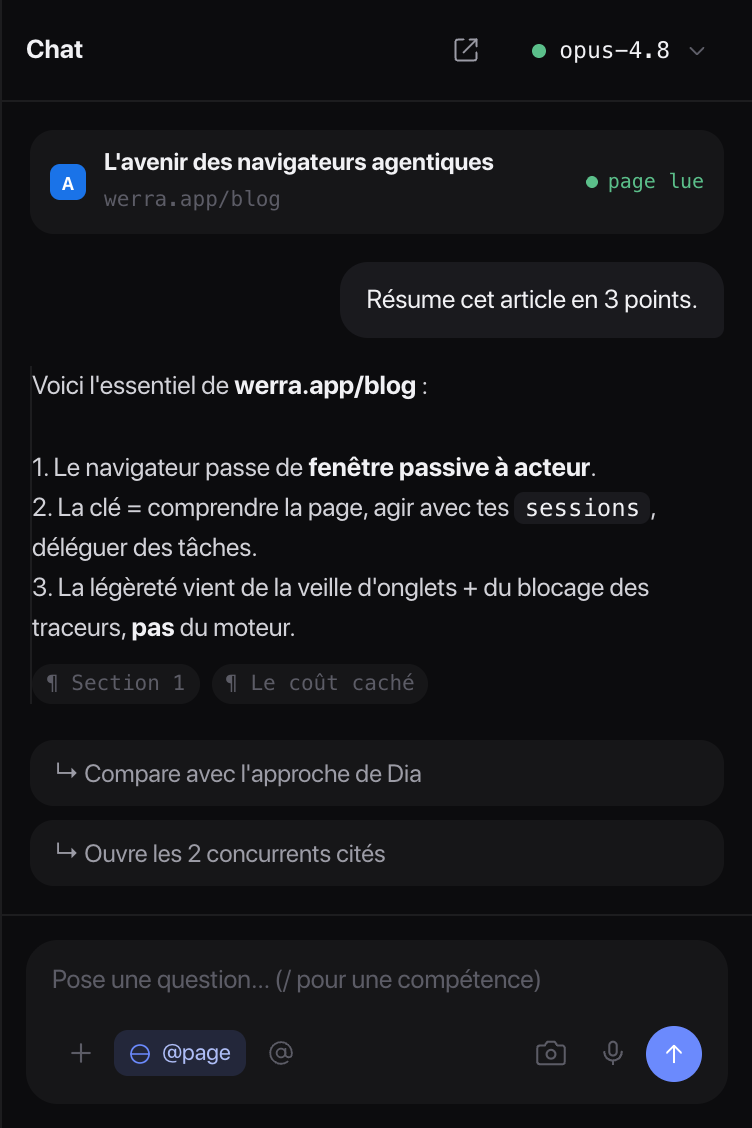
The chat can see what you read
The panel on the right has your open page in view. Highlight a passage and ask for an explanation, get a 6,000-word article summed up, compare it to the tab next door. Nothing to paste anywhere.
- It leans on the page its answers come from what you read, not a fuzzy memory.
- Type @ to point at a tab, a selection or a file.
- The model you want Claude to dig deep, a local model for the quick stuff.
It clicks for you
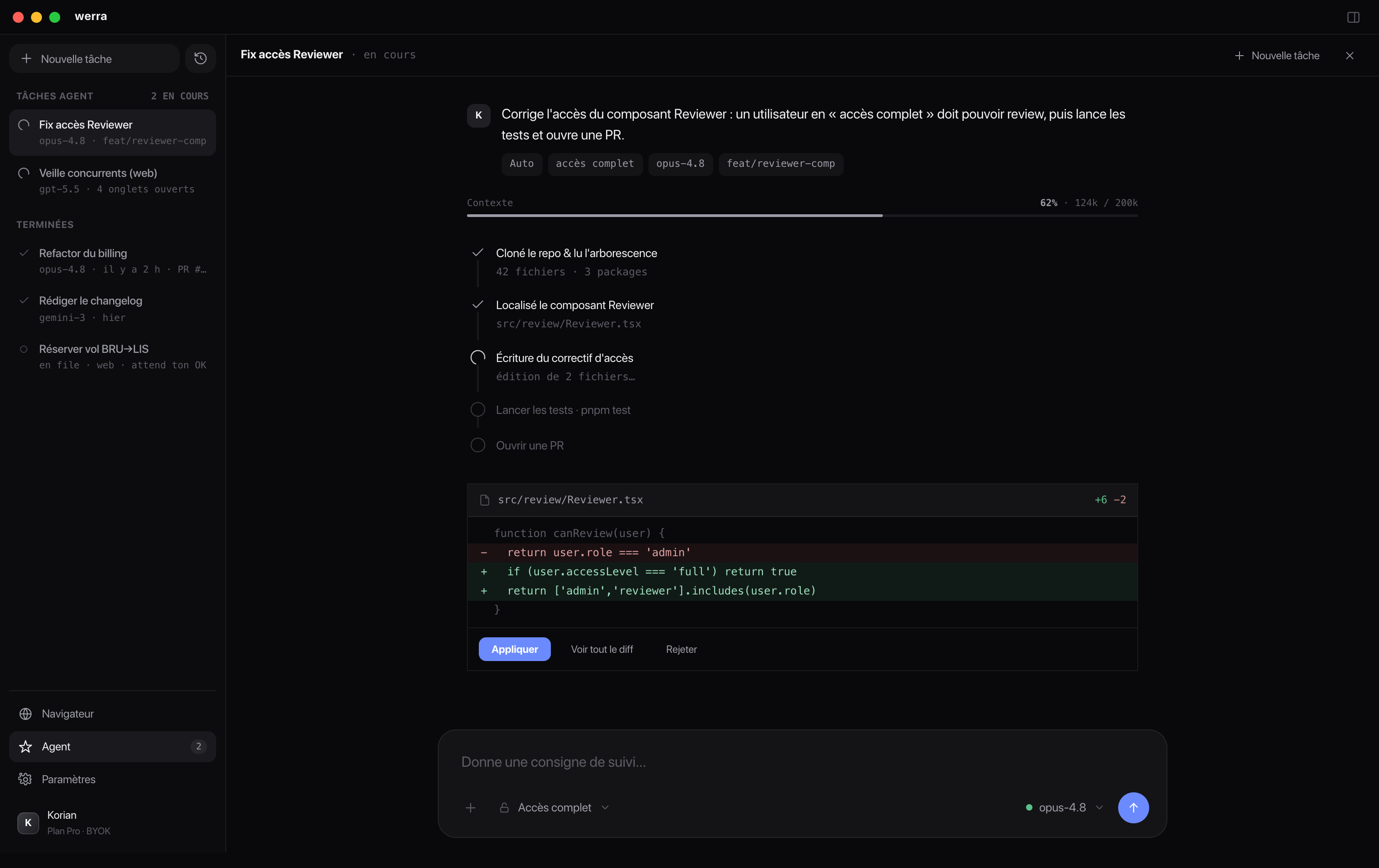
Tell it what to do (compare three suppliers, fill in an endless form, check stock) and it handles it on real tabs, right in front of you. You stay in control: every action shows up before it runs.
- Your accounts it works in the same Chromium as you, already signed in.
- Several tasks at once running and finished, tracked in the sidebar.
- Nothing behind your back you see each step before it runs.
And it gets into the code
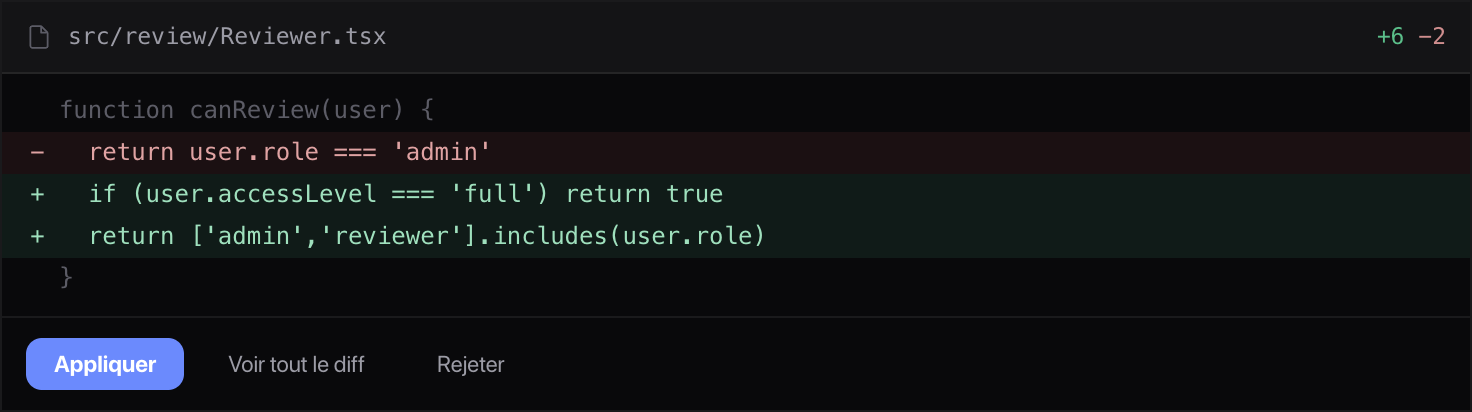
Reading an issue or some docs? The agent picks it up and proposes the fix. werra doesn't reinvent the coding agent: it reuses a real harness (Claude Code, Codex). You review the diff, you apply.
Your keys, your models.
werra doesn't sell tokens and takes no cut. You paste the keys for the providers you already use, and you decide who does what: a fast model to click around the web, a beefier one for code.
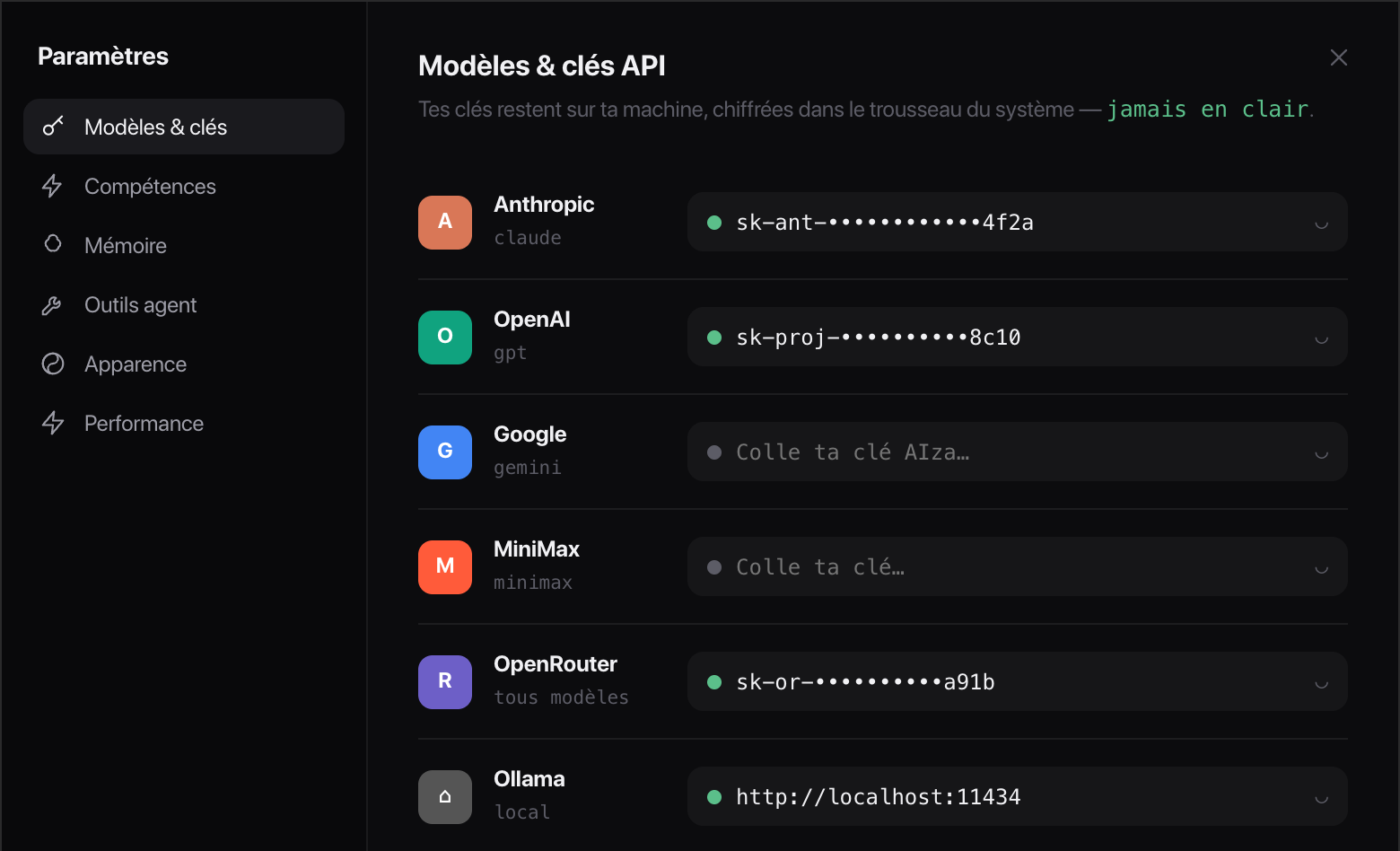
providers: OpenAI, Anthropic, Google, MiniMax, OpenRouter, Ollama.
In your keychain
Your keys stay in your OS keychain. None of them pass through a server of ours: the calls go straight from your machine to the provider.
OpenAI-compatible. Any compatible endpoint plugs in, even a model you run on your own machine.
It blocks what
slows Chrome down.
Ad and tracker blocking lives in the engine, not in an extension you forget to install. And the tabs you leave lying around go to sleep instead of eating your memory.
Tab sleep
A tab left untouched for 15 minutes goes to sleep. Your memory comes back, your fan calms down.
Trackers blocked
Ads and trackers filtered at the engine level. Fewer scripts to download, so pages open faster.
On your machine, open source.
werra runs locally and talks straight to your provider, with no server in between. It's real Chromium: the web works as usual, your extensions will follow. And it's MIT-licensed, so the code is right there, readable and yours to change.
- 1
- Chromium for the browser and the agent
- 6
- providers, plugged in with your keys
- 0
- tokens resold, no hidden paid tier
The simplest thing
is to just try it.
Download it, paste your keys, and point it at a real page. You'll know pretty fast whether it changes anything.
Free on macOS, Windows and Linux · BYOK